Skoda's large electric SUV pairs a new Android-based interface with physical climate controls and a screen the brand says is its largest.
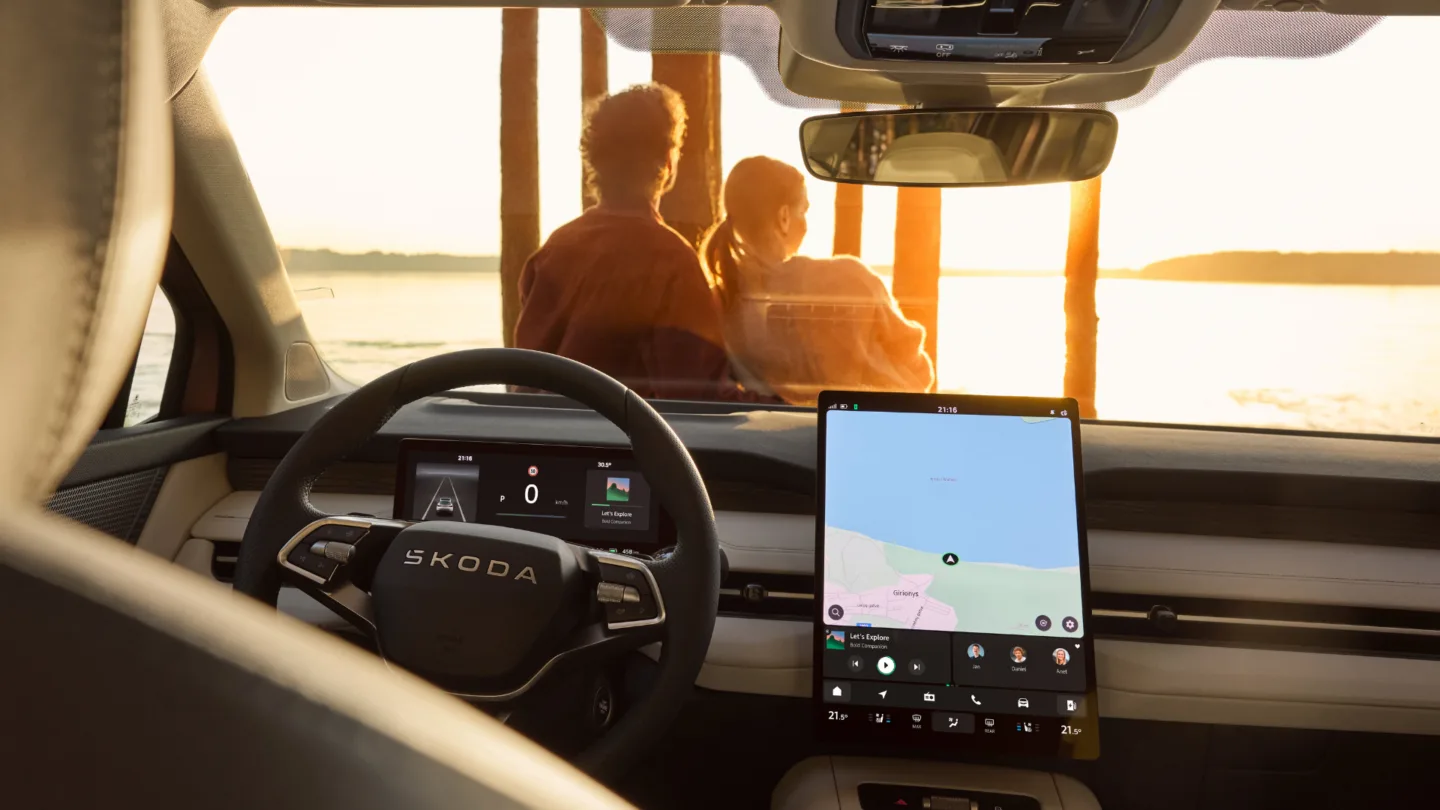
Skoda published details of the infotainment system in its large Peaq electric SUV on 15 October. The 13.6-inch portrait screen is the largest in the Skoda range and runs a new interface built on Android, which can install third-party apps. Controls sit along the bottom of the display for use with the armrest, and messages appear at the top.
Skoda's large Peaq electric SUV marks a new chapter for the brand, not only in the vehicle itself but also in ergonomics and in how drivers control the infotainment system. Skoda says it kept physical controls for climate and other important functions, and built the new interface around them. Skoda says the 13.6-inch portrait screen is the biggest it offers, and the company describes its new user interface as user-friendly.
An interface built on Android
The infotainment system runs on Android and includes its own store, so owners can install the apps they choose. Skoda's own applications come pre-installed, and services such as Spotify and YouTube can be downloaded. The online navigation uses real-time data and offers a dark mode, which can also be applied across the whole system.
Navigation includes day and night modes and satellite imagery, Skoda says. Interactive widgets are meant to speed up access to the functions drivers reach for most, such as media playback, car settings and calls.
Controls within reach
Skoda says the controls are arranged for comfort. The main icons sit along the bottom of the display, so a driver can rest an arm on the armrest and reach them without stretching. Messages for the driver appear at the top of the screen, where they can be read without taking the eyes far from the road. More detailed settings sit higher up, nearer to where the driver naturally looks.
With physical climate controls kept, the most common adjustments do not depend on the touchscreen alone. Skoda says its control philosophy was shaped by listening to users during development.
Layout and widgets
The layout is not fixed. Owners can drag app icons into any order, group them into themed folders, and choose which apps appear in the app switcher. The widgets on the home screen and the functions in the shortcuts centre can be set up in the same way. Because each of these can be arranged separately, two owners of the same car could end up with very different screens.
The app switcher can be tailored too, so the screen can be set up around the functions a particular owner uses most, and the layout can change as those habits change.